
The 3D plugin I wrote about a few weeks ago has the model write Three.js inside HydraOps. That is great for a quick prop, but anyone who models for real works in Blender, and Blender is where the file should end up. So HydraOps now has the other half: an agent that works inside your own Blender, the one you have open, through the official server the Blender Foundation publishes.
To see how far it goes I gave three models the same picture and the same message, and let them build it.
BlenderLab: the official server, as a connection
Blender Lab, the Blender Foundation's experimental projects team, publishes an MCP server for Blender. It is deliberately small: it runs Python inside your Blender, summarizes the scene and the open file, searches the Python API reference and the manual that ship with it, captures the window and renders. There is a Blender add-on on one side and a small server on the other; the agent talks to the server, the server talks to Blender.
In HydraOps it is a connection: an MCP server that comes already configured. In Tools → Connections you press Install, give it to an agent by adding the line blenderlab to its tools, and open Blender with the add-on started. View tells you what your computer needs before you install anything (Blender 5.1 or newer, the add-on, git and uvx) and the exact command the server is started with. A connection is configuration, not code: installing one writes an entry in your MCP settings and nothing else, and the server's version is pinned to a commit. It only changes when you press Update.
What a connection really adds is a classification of every tool. BlenderLab has 26, and HydraOps knows which ones only look (the scene summaries, the documentation search, the window captures) and which ones act: execute_blender_code, the renders that write a file, and the ones that change what your Blender window shows. That matters because HydraOps holds sensitive actions for your approval once a task has read something from outside, like a web page. A server it does not know is treated as the worst case, so every second call would wait for you. With the classification, an agent that models without reading the web runs straight through, and one that read a page first still asks before it runs code in your Blender.
Skills: how to model, not just what to call
Tools alone are not enough. A model that knows Python and has never driven Blender makes the usual mistakes: objects at the wrong scale, materials that do not render, pieces floating a centimeter above the floor, a camera pointing at nothing. So the public skills catalog has four Blender skills: modeling, low poly, materials and render, and export for game engines. They are tested on Blender 5.2 and installed from Tools → Skills like any other.
The one I am happiest with is the final check. The render tools write an image to disk and give the agent a path; the model never sees that image. So the last call of every modeling task is a fixed piece of Python, copied as is from the skill, that makes a small render from the scene's camera and measures it: objects without a material, broken geometry, a model outside the frame, a burnt or dark image, and the differences with the reference image you attached in framing, brightness, color and how solid the silhouette is. It prints a PROBLEM: line for each one. The agent fixes them, runs it again, and quotes the last output in its report. A model can tell you it checked; this makes it show the numbers.
Window captures are a different story. A model that can see images (OpenAI, Anthropic and Gemini chat models, among others) is shown the capture right after the tool returns it, so it can look at its own work. A model that cannot is told so plainly, so it does not claim to have looked. For those models the final check is the only way to compare with the reference, which is why it measures instead of asking anyone to look.
The test
One reference image, one message, the same agent (same tools, same skills, same instructions) and a fresh Blender file for each run. Blender 5.2.2 on a Linux machine, HydraOps 0.1.58:
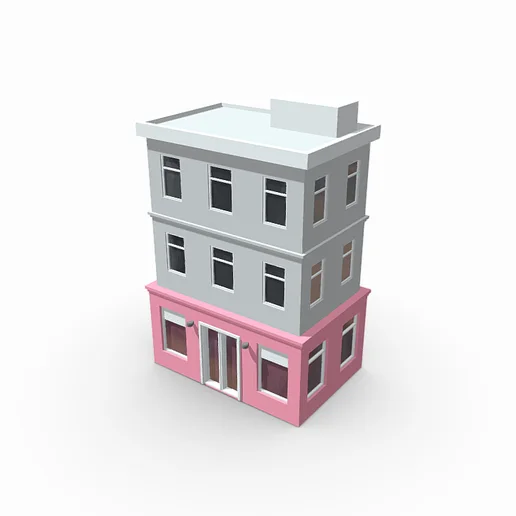
Build this building in Blender as a clean low-poly model. Match the reference: three floors, a pink ground floor with the shop windows and the double glass door, gray upper floors with their windows, the white roof slab and the rooftop unit.
That message is all they got. The three results below are the answer to that single prompt: no follow-up messages, no corrections, nothing tuned afterwards, in Blender or in the chat.
Claude Opus 5.5, the only one of the three that sees images, so it could look at the reference and at its own captures:
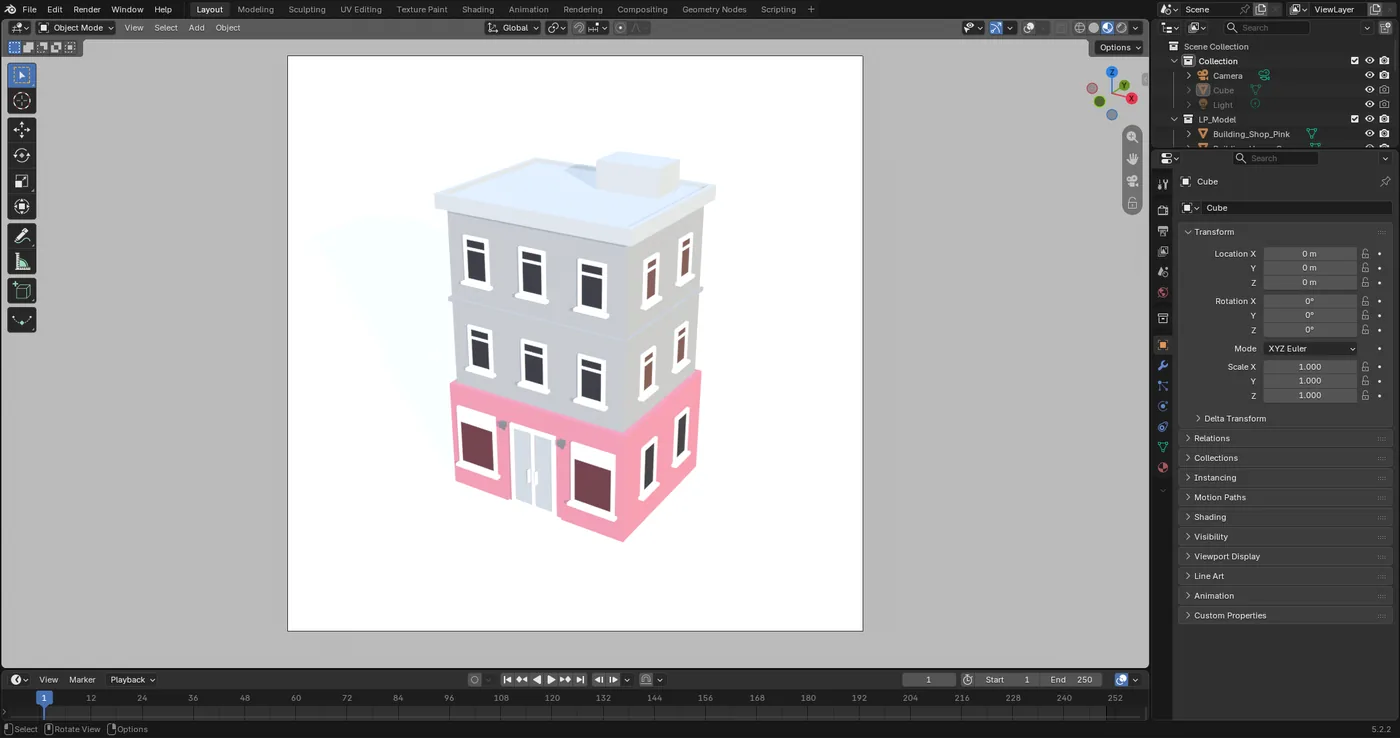
DeepSeek Flash, working only from the numbers:
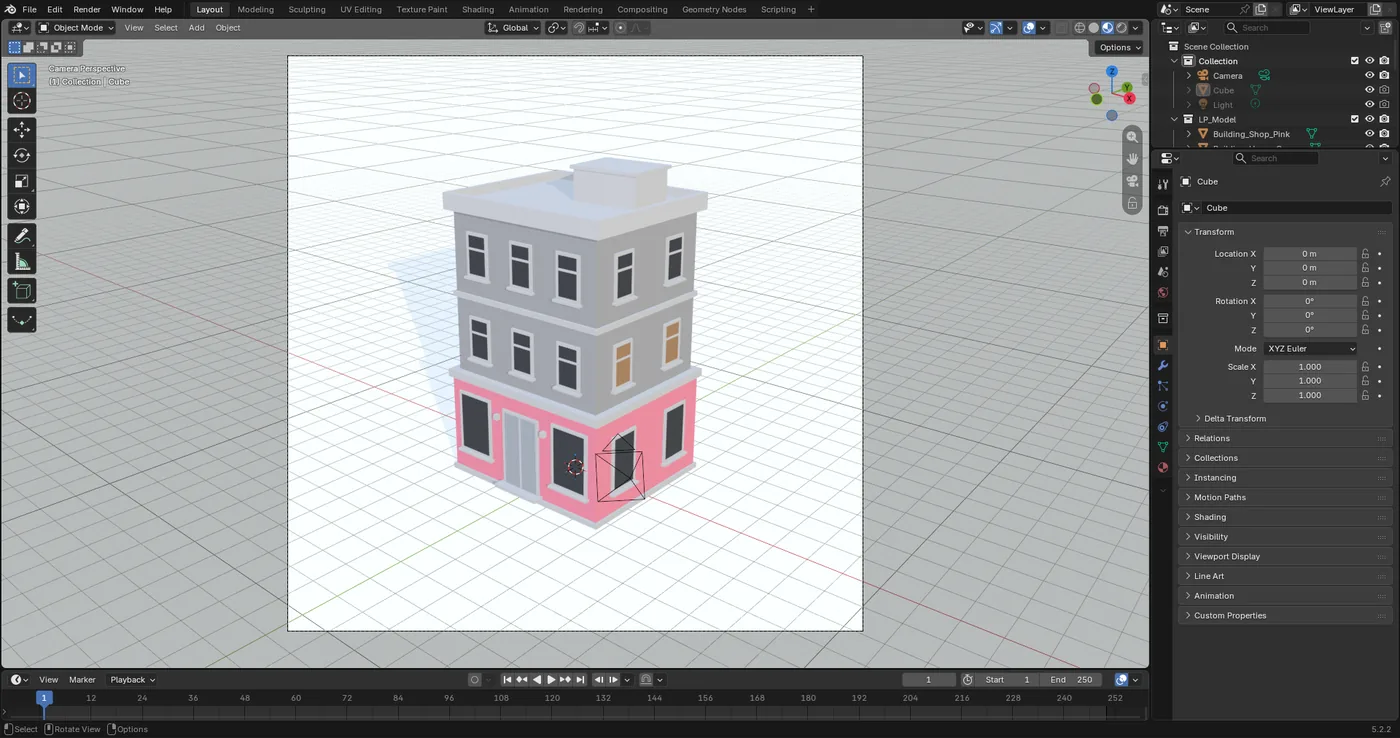
Gemini 3.8 Flash, also blind to images. This capture is from a run of the same model with the same message earlier that day: in the recorded run Blender's start-up splash screen was still covering the viewport when it finished, and the scene was gone by the time we noticed.
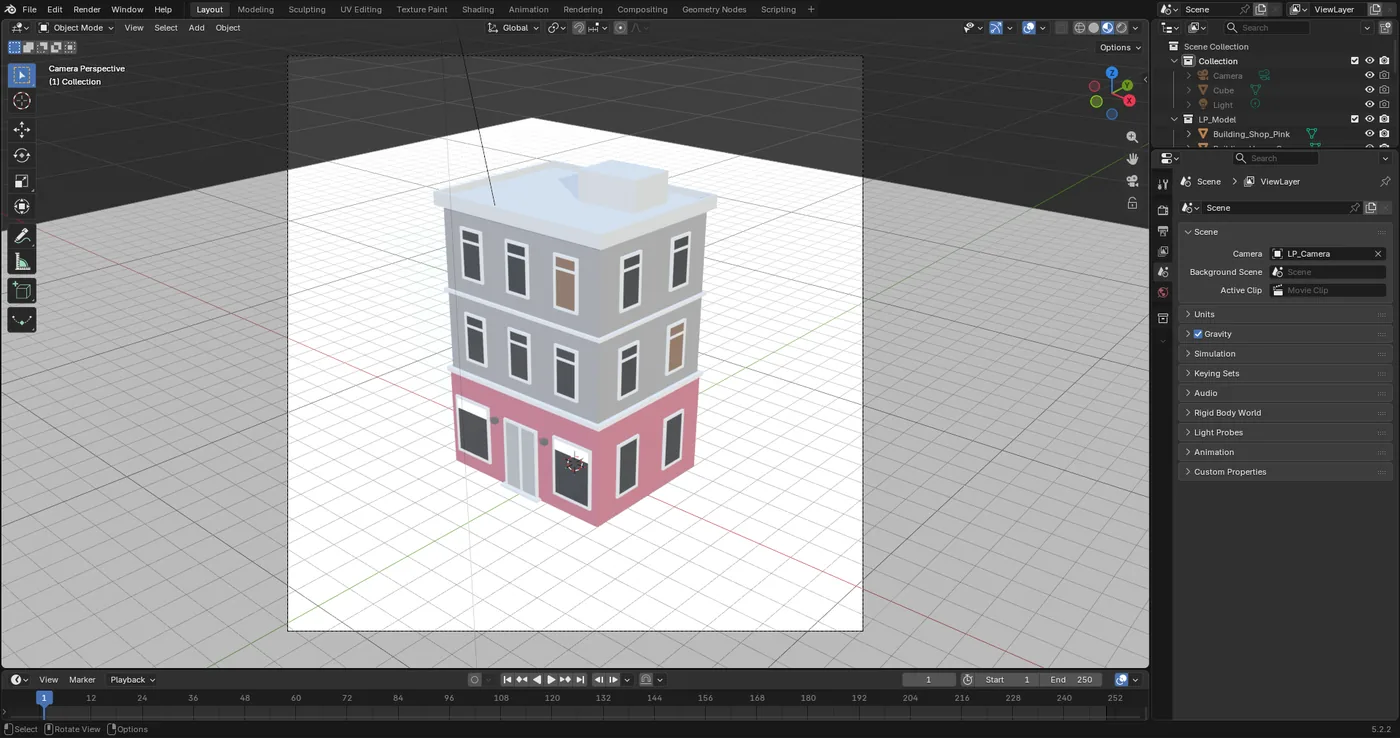
All three got the building right: three floors, the pink shop front with its double door and the lamps beside it, the bands between floors, the roof slab and the unit on top, all as separate, named objects you can keep editing. All three found the reference on disk, and the final check passed in all three with no problem lines. Opus is the closest in the details, which is what you would expect from the one that could look. The two Flash models matched the framing and the colors from the measurements alone, without ever seeing the picture. Any difference left is one more message away; I left them as they came to show what a single prompt gets you.
What it cost
| DeepSeek Flash | Gemini 3.8 Flash | Claude Opus 5.5 | |
|---|---|---|---|
| Model rounds | 16 | 23 | 14 |
| Time | 5 min 39 s | 4 min 49 s | 4 min 31 s |
| Input tokens | 850,631 | 995,653 | 661,918 |
| of which read from cache | 83 % | 78 % | 23 % |
| Output tokens | 73,149 | 35,884 | 26,773 |
| of which reasoning | 44,379 | 10,440 | 6,713 |
| Estimated cost | ~$0.04 | ~$0.36 | ~$3.10 |
Every round of an agent sends the whole conversation again: the instructions, the tool definitions, everything read so far. That is why the input column is so much bigger than the output one, and why caching matters so much. When the start of a request is the same as the last one, the provider charges a fraction for that part. DeepSeek and Gemini read around four fifths of their input from cache. Opus only read a quarter, and that made it the most expensive by far.
The costs are estimates at list prices from October 2026, with cached input at its own price: Opus 5.5 at $4 per million input tokens, $5 for writing to the cache, $0.20 for reading from it and $20 per million output; DeepSeek Flash at $0.14, $0.0028 cached and $0.28 out. For Gemini 3.8 Flash I used $0.75 in and $3.75 out from third-party lists, with cached input assumed at a tenth, so take that one with care. The real amount is on each provider's billing page.
Reading the report
The part I would point anyone to is not the model, it is the report. Every agent ended, as the skills tell them to, by quoting the final check and listing what still differs from the reference. This is the last output from the DeepSeek Flash run:
render   : {'size': (320, 320), 'image_brightness': 0.892, 'subject_pct': 24.1, 'box': {'width': 0.47, 'height': 0.65, 'center': (0.5, 0.5)}, 'brightness': 0.622, 'saturation': 0.097, 'burnt_pct': 0.0, 'colors': [('#999ca0', 31), ('#bdbec2', 31), ('#43464c', 7), ('#cd7d91', 5), ('#e38ca1', 5)]}
reference: 1791731185567-1.png {'size': (516, 516), 'image_brightness': 0.897, 'subject_pct': 24.0, 'box': {'width': 0.48, 'height': 0.64, 'center': (0.5, 0.48)}, 'brightness': 0.631, 'saturation': 0.106, 'burnt_pct': 0.0, 'colors': [('#bdc1c3', 30), ('#8c8e90', 21), ('#dadee0', 12), ('#de91a5', 6), ('#3d3d42', 6)]}
FINAL CHECK: no problem found by the measurements
It did not pass the first time. The first check said the silhouette was much emptier than the reference's. DeepSeek sampled both images as color grids and found the geometry was fine: the reference sits on an almost white background, while its own was a light gray, so its gray walls and white roof were being counted as background. It rebuilt the world so the camera sees white, and the second check was clean. Opus had its own two rounds: its first capture showed the white roof disappearing into the white background, and its first check found the building too bright, 0.74 against 0.63.
None of them pretended the result was perfect. Opus wrote that its roof is not as distinctly white as the reference's, that its pink takes up more of the image, and that taking 0.3 m off the ground floor would be its next fix. DeepSeek said its whites sit lower than the reference's and that the small vent on the roof and the plinth at the base were its own additions. Gemini said its frame was wider than the reference's because the shadow on the ground counts as part of the building. All three listed what they changed in your scene and that nothing of yours was deleted.
From the 3D plugin to Blender
The two halves meet in the chat. When a task delivers a 3D model (from the 3D plugin or from your ComfyUI workflows), it gets a card with a viewer, and since 0.1.53 that card has a To Blender button: it imports the model into the scene you have open, in a new collection named after the file, without removing anything of yours. No model takes part in that and it costs no tokens; the app sends Blender one fixed import and the card tells you whether it arrived.
What this does not do
The honesty section, as usual:
- The server runs model-written Python in your Blender. Blender Lab marks it as experimental and says plainly that there are no real guards. HydraOps classifies the tool as one that acts, so it is held for your approval when the task has read outside content, but within an approved task the code does what it does. Work on a file you have saved.
- The cache does not hold for Opus yet. Anthropic's cache only works while the start of the request stays the same, and in this run it kept changing between rounds. Part of it is that HydraOps gives the model its tools on demand, so the list of tools changes as it goes. That is why Opus read only 23 % from cache here. Update, 28 October 2026: that part is fixed since 0.1.59, released the same day as this post: a tool the agent loads now stays loaded for the whole task, so the list no longer changes between rounds. I have not rerun the Opus test yet, so the table above is still what that run cost.
- The model never sees the renders. Captures reach models that can see images; renders are measured by the final check, not looked at. The check compares numbers, so it can pass while a detail is still off.
- Blender has to be open, version 5.1 or newer, with the add-on started. If Blender is closed the agent says it cannot reach it instead of insisting.
- Long builds need steps and time. This agent had 45 rounds per task (the default is 15) and the task time limit was raised from 10 to 25 minutes, after a first DeepSeek run was cut at 10 with the building half built. Every round resends the conversation, so the cost grows with them.
- The prices will change. The table is a snapshot of three runs, not a benchmark.
The connection landed in 0.1.45, tool images in 0.1.47 and the To Blender button in 0.1.53. The skills live in HydraOps-Skills, and the manual covers it under Connections.
HydraOps is a self-hosted multi-agent AI system: one chat, several agents with their own personality, model and tools working on tasks in parallel. Try it here.